A story about making work visible

From noise to narrative.

A team does not need more tickets. It needs a shared story: why the work matters, which product it belongs to, what outcome it serves and what happens next.
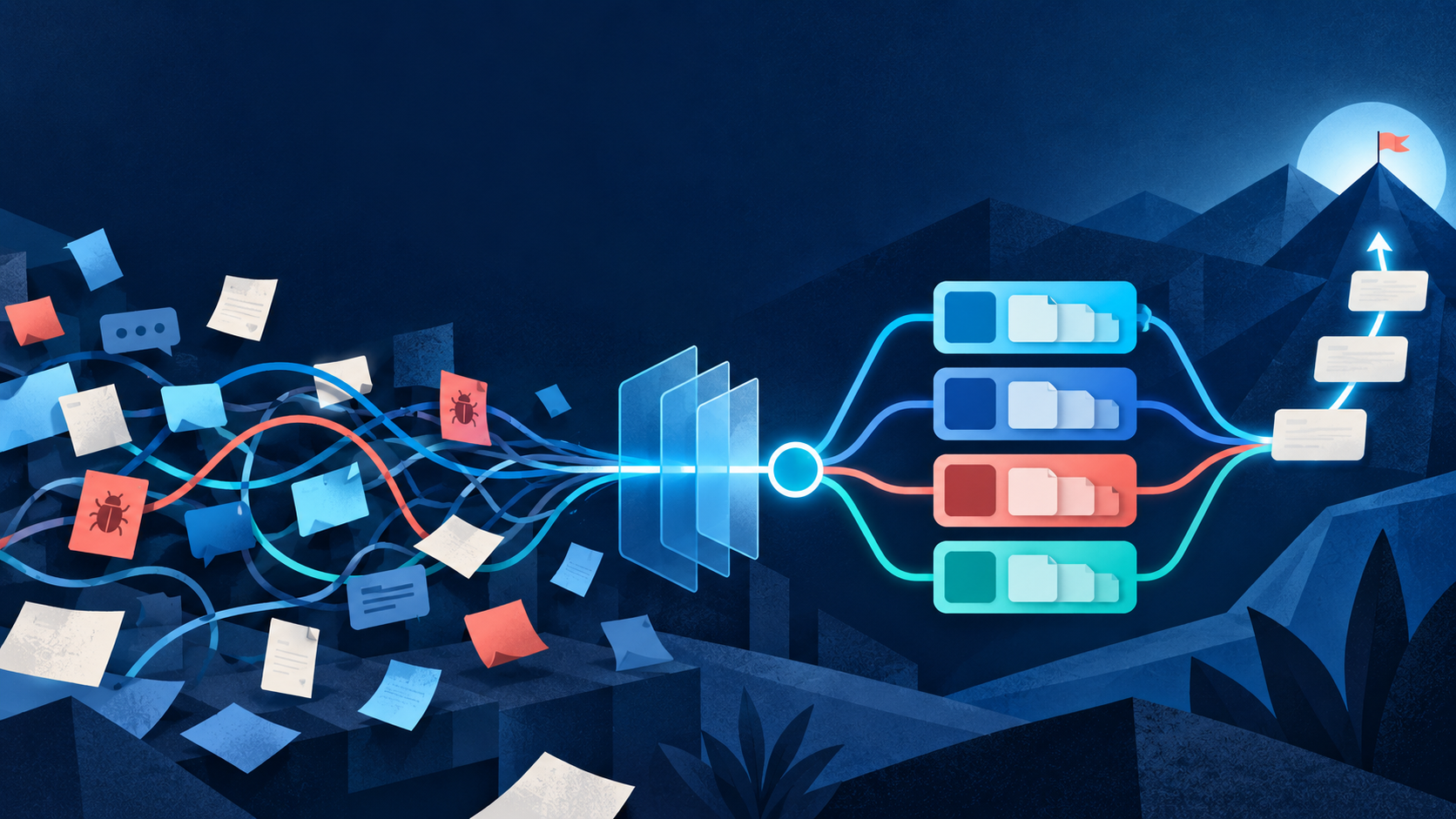
An editorial illustration showing scattered work becoming an organised backlog hierarchy and delivery roadmap.
The visual journey: scattered work becomes a clear path from intent to delivery.
Chapter 01 · The mess

Work is everywhere. Understanding is nowhere.

A customer request lives in email. A bug is mentioned in chat. Technical debt sits in someone’s memory. The team looks busy, but nobody can see the whole picture.

Before: fragments of work

Customer says reporting is too slow.
Urgent: patch library before support ends.
Why did the API fail again?
Can we add a new dashboard?

The turning point

“If it consumes meaningful capacity, make it visible.”

The backlog becomes the team’s shared memory—not a graveyard of tickets.

Chapter 02 · The reason

The first field is not a field. It is a question: why?

Before naming an Epic or planning a sprint, understand why the work deserves the team’s time.

Start here

Why are we doing this?

The answer gives the work meaning. It also makes trade-offs possible when demand exceeds capacity.

O

Advance an OKR

Move a measurable strategic outcome forward.

K

Protect a KPI

Maintain or improve an ongoing measure of health.

C

Serve a customer

Respond to a clear customer problem or opportunity.

R

Manage reality

Risk, maintenance, technical debt, compliance or incidents.

Honesty over theatre

Do not invent an OKR relationship. Accurate reasons show how capacity is really being used.

Chapter 03 · The product

Now give the work a home.

Azure DevOps calls it an Area Path. For a team managing four products, the clearest translation is simply “Product.”

A
Product AIts complete stream of work
Area Path
B
Product BIts complete stream of work
Area Path
C
Product CIts complete stream of work
Area Path
D
Product DIts complete stream of work
Area Path
Area Path = Product.

If the work affects Product B, select Product B. That simple choice lets the team filter, compare and plan across all four products.

Only add sub-areas when a real ownership or reporting problem requires them.
Chapter 04 · The hierarchy

Climb from purpose to delivery.

Each step answers one question. Together, they connect a small piece of work to the reason it exists.

01

Reason

Why spend time?

OKR, KPI, customer, technical health, risk or another honest reason.

02

Area Path

Which product?

The product that owns or receives the work.

03

Epic

What big outcome?

A large initiative or substantial body of work.

04

Feature

What capability?

A meaningful capability that can eventually be complete.

05

Milestone

What do we deliver next?

A smaller, testable increment. Azure DevOps calls this a User Story.

Team translation: User Story = Milestone is a local convention. In standard project language, a milestone often means a checkpoint. Naming the translation avoids confusion outside the team.
Chapter 05 · The delivery story

Follow one problem all the way to “done.”

Customers are losing trust because repeated interruptions make Product B feel unreliable. Watch the concern become a deliverable item.

Why

Rebuild customer trust

Key Result: reduce customer-impacting incidents by 50%.

Area Path

Product B

This is the product affected and accountable for the work.

Epic

Improve product reliability

The large outcome that will require several capabilities.

Feature

Improve monitoring and alerting

The capability that helps the team detect customer impact early.

Milestone / User Story

Alert support when API latency breaches the threshold

A small enough increment to understand, deliver and test.

Acceptance

Make “done” observable

The alert triggers correctly, reaches support and records enough information to investigate.

Planning

Sprint 2 → Release 5.2

The Iteration says when the team works on it. The Release says when it reaches the product.

Chapter 06 · Time

Three views of time. Three different questions.

Keeping these concepts separate prevents a sprint plan from being mistaken for a release promise.

I

Iteration Path

When are we working on it?

The sprint or time period in which the team intends to do the work.

R

Release Version

When does it reach the product?

The product version expected to contain the completed change.

D

Delivery Plan

How does everything fit together?

The wider view across products, Features, dates and dependencies.

Sprint 2Build and test
Release 5.2Ship to the product
Delivery PlanSee portfolio context
Chapter 07 · Team habits

The tool does not create maturity. Habits do.

Start with a few behaviours the whole team can practise consistently.

1

Make work visible

Capture anything that consumes meaningful capacity.

2

Capture, then refine

Create the item first; add clarity before commitment.

3

Build the parent chain

Milestone → Feature → Epic, unless an exception is deliberate.

4

Define “done”

Use observable acceptance criteria.

5

Keep it honest

Update dates, priorities and states when reality changes.

6

Avoid ticket theatre

Keep metadata only when it supports a real decision.

Before committing work, ask five questions.

  1. Why are we doing it?
  2. Which product owns it?
  3. Where does it sit in the hierarchy?
  4. When will we work on and release it?
  5. How will we know it is done?
The ending becomes the beginning

The model at a glance.

Why?OKR · KPI · honest reason
Which product?Area Path
What big outcome?Epic
What capability?Feature
What next deliverable?User Story / Milestone
What is broken?Bug
When do we work?Iteration Path
When does it ship?Release Version
How does it fit?Delivery Plan
Good looks like this: someone who missed the meeting can still understand what the team is doing, why it matters, which product it affects, what happens next and roughly when it will be delivered.
Official sources

Continue with Microsoft Learn

Areas and iteration paths ↗Features and Epics ↗Backlogs and boards ↗Delivery Plans ↗